
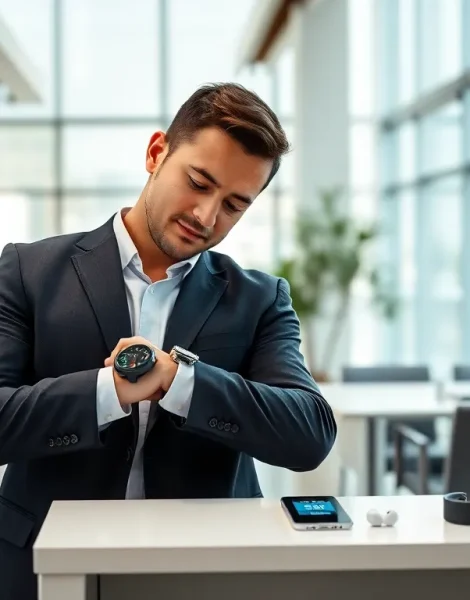
Learning how to wear wearables correctly makes the difference between a useful tool and a forgotten gadget in a drawer. Smart devices have become part of daily life for millions of people. They track fitness, monitor health, deliver notifications, and even make payments. But many users don’t get full value from their devices simply because they don’t know how to use them properly.
This guide covers everything from setup to daily use. It explains how to position devices for accurate readings, which features matter most, and how to keep wearables working for years. Whether someone just bought their first smartwatch or wants to get more from a fitness tracker, this article provides practical steps they can use right away.
Table of Contents
ToggleKey Takeaways
- Learning how to wear wearables correctly—about one finger-width above the wrist bone with a snug but comfortable fit—ensures accurate health and fitness data.
- Spend 15–20 minutes on proper setup, including entering accurate personal data, to get the most value from your wearable device.
- Most wearable owners only use 20% of their device’s features—explore health monitoring, mobile payments, and third-party apps to maximize functionality.
- Clean your wearable weekly with a soft, damp cloth and maintain battery health by charging at 20–30% rather than letting it fully drain.
- Consistent daily wear matters more than perfect positioning, as wearables learn your patterns over time for better long-term tracking.
- Choose the right type of wearable for your needs: smartwatches for all-in-one functionality, fitness trackers for health focus, or smart rings for discrete monitoring.
Understanding Different Types of Wearable Technology
Wearable technology comes in several forms, each designed for specific purposes. Knowing what type of wearable device fits a user’s needs helps them make better choices and use their device effectively.
Smartwatches offer the widest range of features. They display notifications, track fitness metrics, play music, and run apps. Apple Watch, Samsung Galaxy Watch, and Garmin models dominate this category. Smartwatches work best for people who want an all-in-one device on their wrist.
Fitness trackers focus specifically on health and exercise data. Devices like Fitbit Charge and Xiaomi Mi Band monitor steps, heart rate, sleep patterns, and calories burned. They typically cost less than smartwatches and have longer battery life. Athletes and health-conscious users often prefer these streamlined options.
Smart rings represent a newer category of wearables. The Oura Ring and Samsung Galaxy Ring track sleep and activity without the bulk of a wrist device. They appeal to users who want discrete health monitoring.
Hearables include smart earbuds and hearing aids with built-in sensors. AirPods Pro and similar products now offer health features like hearing tests and heart rate monitoring through the ear canal.
Medical wearables serve specific health needs. Continuous glucose monitors, blood pressure trackers, and ECG devices provide clinical-grade data for users managing chronic conditions.
Each wearable type requires different wearing techniques and setup procedures. Understanding these differences helps users approach their specific device with the right expectations.
Setting Up Your Wearable Device for First Use
Proper setup ensures wearables deliver accurate data from day one. Rushing through initial configuration often leads to frustration later.
Charging and Updating
Before anything else, charge the wearable device to full battery. Most devices ship with partial charges that won’t last through setup. Once powered on, check for software updates immediately. Manufacturers frequently release updates that fix bugs and improve performance.
Downloading the Companion App
Almost every wearable requires a smartphone app for full functionality. Download the official app from the App Store or Google Play. Create an account or sign in with existing credentials. The app guides users through pairing the device via Bluetooth.
Entering Personal Data
Wearables calculate metrics based on user information. Height, weight, age, and gender affect calorie calculations and fitness estimates. Enter accurate data, guessing leads to skewed results. Some devices also ask for wrist circumference and dominant hand information.
Configuring Notifications
Most users want some notifications on their wearable but not all of them. Take time during setup to select which apps can send alerts. Too many notifications drain battery and create distractions. Most people find value in calls, texts, and calendar reminders while silencing social media alerts.
Setting Goals and Preferences
Many wearables ask users to set daily goals for steps, exercise minutes, or sleep hours. Start with realistic targets. A 10,000-step goal frustrates someone who currently walks 3,000 steps daily. Gradual increases work better for building habits.
Spend 15-20 minutes on proper setup. This investment pays off through months of accurate tracking and useful features.
Best Practices for Wearing and Positioning Your Device
How someone wears their wearable device directly affects data accuracy. Poor positioning causes missed heart rate readings, inaccurate step counts, and unreliable sleep tracking.
Wrist Placement for Watches and Trackers
Wear the device about one finger-width above the wrist bone. This position keeps sensors in contact with skin while allowing comfortable movement. Too close to the hand causes the device to shift during activity. Too far up the arm moves sensors away from blood vessels.
The band should feel snug but not tight. Users should be able to slide one finger under the band comfortably. During exercise, tighten the band slightly for better sensor contact, then loosen it afterward.
Left or Right Wrist?
Most people wear wearables on their non-dominant wrist. This reduces the risk of damage and interference during daily activities. But, the choice is personal. Just indicate the correct wrist in device settings so algorithms can account for movement patterns.
Ring Positioning
Smart rings work best on the index finger, though some models fit other fingers. The sensor bump should face the palm side for accurate readings. Rings need proper sizing, too loose and they spin, disrupting data collection.
Skin Contact Considerations
Optical heart rate sensors need direct skin contact to function. Tattoos, especially dark or dense ones, can interfere with readings. Hair can also affect accuracy. Some users shave a small area under the sensor for better results.
Keep the sensor area clean. Sweat, lotion, and sunscreen build up over time and block light transmission. A quick wipe with a damp cloth before wearing improves accuracy.
Consistent wear matters more than perfect positioning. Wearables learn user patterns over time, so wearing the device regularly produces better long-term data.
Maximizing Features and Daily Functionality
Many wearable owners use only 20% of their device’s capabilities. Exploring features beyond basic tracking reveals significant value.
Health Monitoring Features
Modern wearables offer sophisticated health tracking. Heart rate variability shows stress levels and recovery status. Blood oxygen monitoring detects potential respiratory issues. ECG features on some devices can identify irregular heart rhythms.
Enable these features in settings and review the data weekly. Trends matter more than individual readings. A gradually increasing resting heart rate might indicate overtraining or illness.
Fitness and Exercise Tracking
Start workouts manually for accurate exercise data. Auto-detection works for walking and running but often misses swimming, cycling, or weight training. Most wearables support dozens of workout types, use the specific option rather than generic “exercise.”
GPS-enabled devices track outdoor routes and pace. Indoor exercises benefit from connecting to gym equipment via Bluetooth for more accurate distance and calorie data.
Sleep Tracking Optimization
Wear the device to bed consistently for useful sleep insights. Most wearables track sleep stages, detect disturbances, and estimate sleep quality. Review weekly sleep reports rather than fixating on nightly scores.
Set sleep schedules in the app. Devices use this information to start monitoring at appropriate times and provide bedtime reminders.
Productivity and Convenience Features
Wearables handle more than fitness. Set up mobile payments through Apple Pay, Google Pay, or Samsung Pay for wallet-free purchases. Use voice assistants to set timers, send messages, or control smart home devices.
Customize watch faces to display the information that matters most. A runner might want distance and pace visible. An office worker might prefer calendar events and weather.
Explore third-party apps compatible with the wearable. Meditation apps, music streaming services, and navigation tools extend functionality significantly.
Caring for and Maintaining Your Wearable
Proper care extends wearable lifespan and maintains accuracy. These devices represent significant investments worth protecting.
Cleaning Routines
Clean wearables weekly, or more often with heavy exercise. Use a soft, lint-free cloth dampened with fresh water. Avoid soap, cleaning agents, and abrasive materials. For stubborn residue, a small amount of isopropyl alcohol on the cloth works safely.
Dry the device completely before wearing. Trapped moisture irritates skin and can damage charging contacts.
Bands need attention too. Silicone bands develop odor from sweat accumulation. Remove them from the watch body and wash with mild soap and water. Let them dry completely before reattaching.
Battery Health
Lithium batteries degrade over time, but good habits slow the process. Avoid letting the battery drain to zero regularly. Charge when the level drops to 20-30%. Don’t leave devices on chargers for extended periods after reaching 100%.
Extreme temperatures harm batteries. Don’t leave wearables in hot cars or expose them to freezing conditions for long periods.
Software Maintenance
Keep firmware and apps updated. Updates often include battery optimizations, new features, and security patches. Enable automatic updates when possible.
Restart the device weekly. This clears temporary files and refreshes system processes. Most wearables restart through a menu option or by holding physical buttons.
Storage and Protection
When not wearing the device, store it in a cool, dry place. Use a protective case during travel. Consider a screen protector for devices with exposed glass, especially for outdoor activities.
Replace bands when they show wear. Cracked or stretched bands affect fit and sensor accuracy. Most manufacturers and third parties sell replacement options.


